


The diCleaner menu is missing
- Open Optimize → Right-Click Menu and confirm the command is enabled.
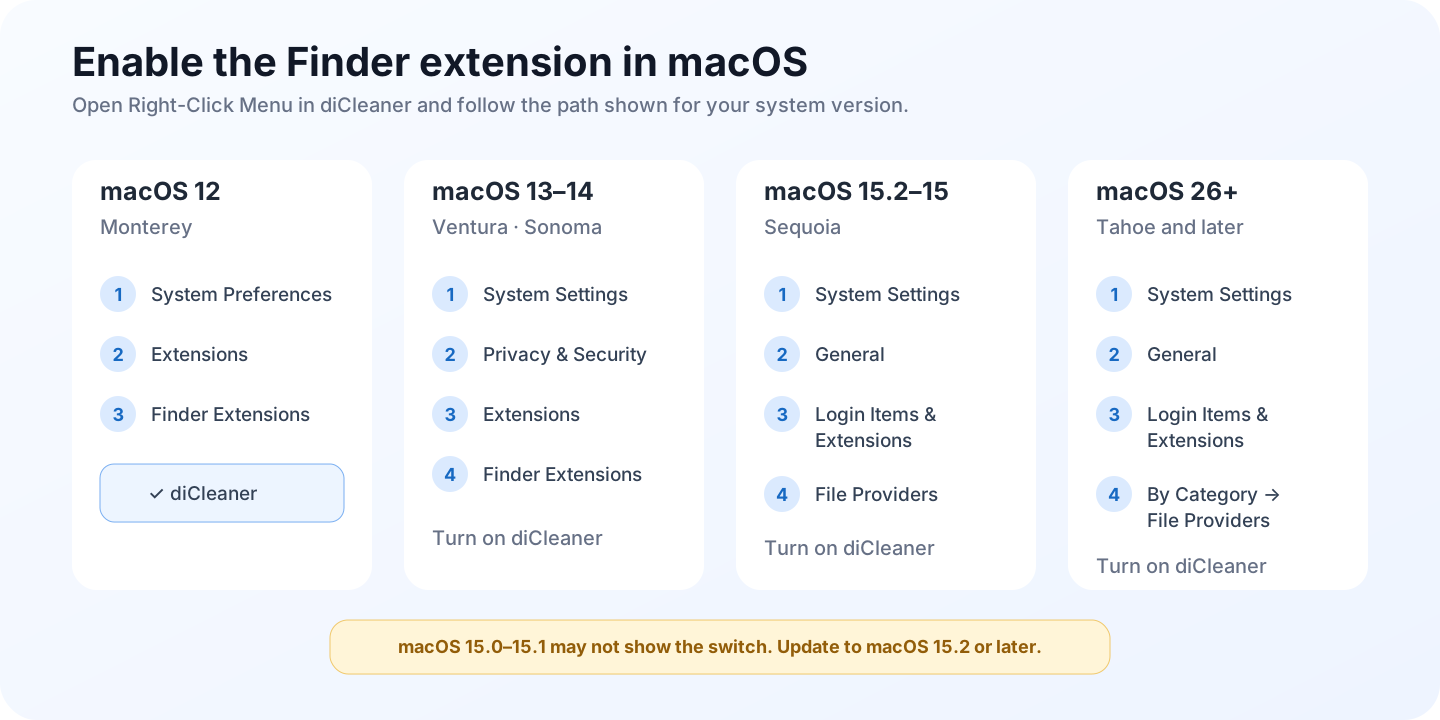
- Select Enable Finder Menu, follow the displayed System Settings path, and turn on the diCleaner Finder extension.
- Return to diCleaner and select Refresh Status.
- Try a matching selection in Finder. Some commands appear only for a folder, image, ZIP archive, application, or multiple files.
- Relaunch Finder, or sign out and back in, if macOS still shows an old extension state.
If more than one copy of diCleaner is installed, quit all copies and keep only the intended copy in Applications. macOS can otherwise load the extension from a different app copy.
An enabled command is missing
Check Menu Preview with the same kind of selection and clipboard content. Commands are filtered by context. For example, image tools require supported image selections, Move Here requires files previously cut with the diCleaner command, and Paste Files Here requires copied files.
Also check whether the feature is available in your edition. Encrypted disk images and Vault actions are not available in the Mac App Store edition.
The keyboard shortcut does nothing
Confirm that:
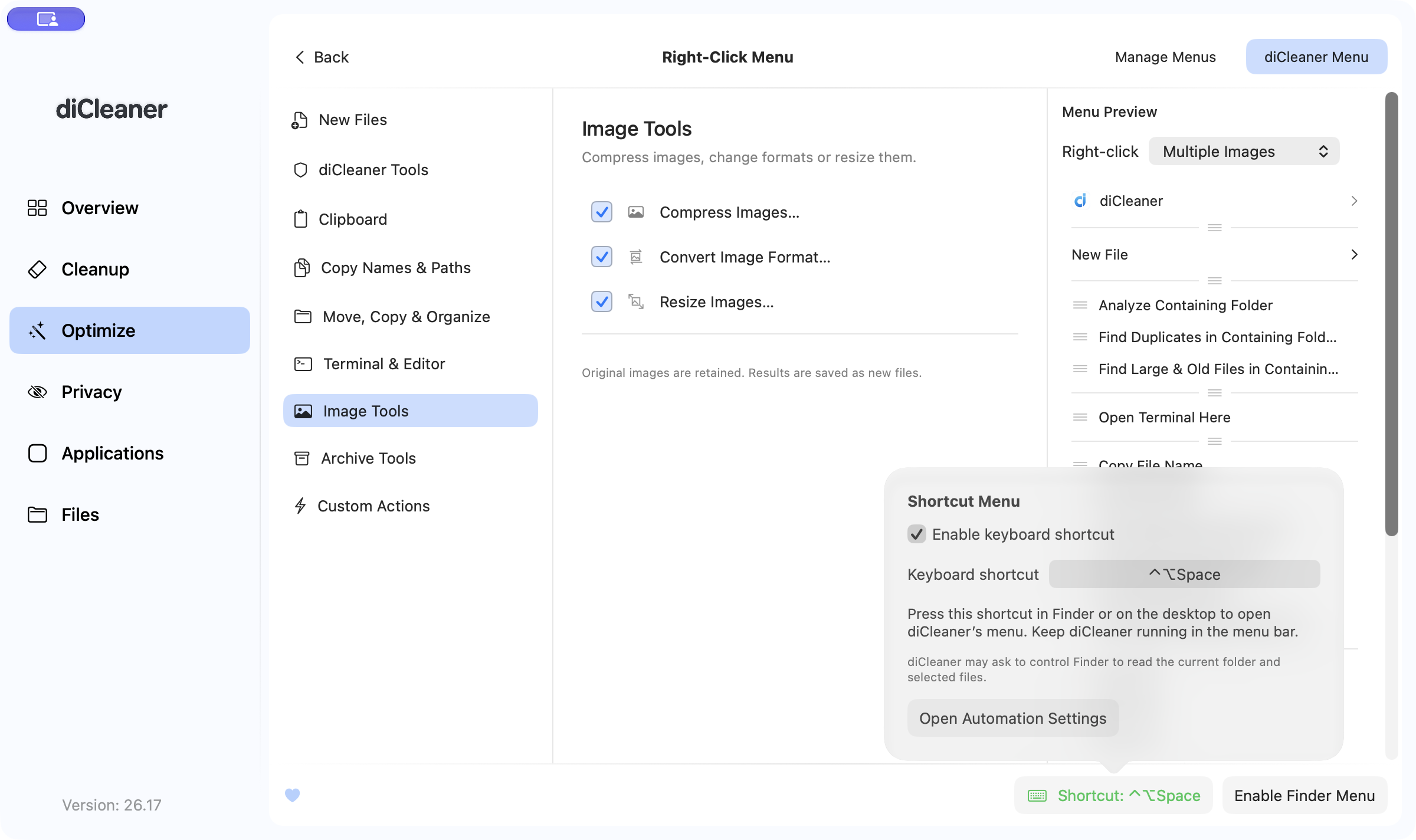
- Enable keyboard shortcut is on;
- the combination includes Command or Control and is not already used by another app;
- the diCleaner menu component is running;
- Automation access for Finder is allowed in System Settings → Privacy & Security → Automation.
If diCleaner reports that the menu component is outdated or did not restart, use Restart Menu Bar App in the shortcut setup, then try again.
An action cannot read or write a file
Try the action in a normal writable folder. Read-only volumes, protected locations, cloud placeholders, network volumes, and external disks can require separate access or may not support the requested operation.
For move, archive, conversion, or custom actions, verify that the source still exists and the destination has sufficient free space. Do not repeatedly authorize an unexpected administrator request; cancel and confirm that it matches the action you chose.